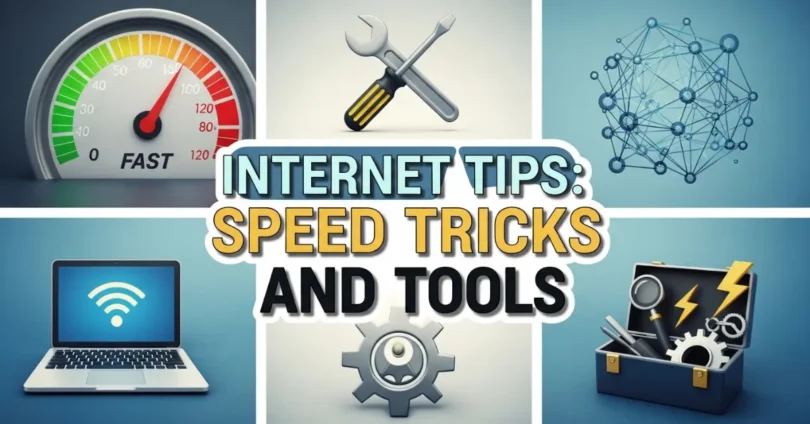
Whether you are working, studying, or enjoying entertainment online, knowing the right Internet Tips Speed Tricks and Tools can save you time and make your online experience much better. From simple tweaks to advanced techniques, these tips and tools help you boost your internet speed, fix common issues, and get the most out of your connection effortlessly.
Understanding Internet Speed and Its Importance
Before applying any tips or tools, it is important to understand internet speed and why it matters.
- Internet Speed: The rate at which data is transmitted from the internet to your device. It is measured in Mbps (Megabits per second).
- Download Speed: Determines how fast you can receive data like videos, files, and webpages.
- Upload Speed: Determines how fast you can send data, like emails or cloud uploads.
- Ping/Latency: Measures the delay in sending data. Lower ping is better for gaming and video calls.
A good internet speed improves productivity, streaming quality, online gaming, and overall browsing experience. Without understanding your speed, you might not know whether the problem is with your internet provider or your device.
Common Reasons for Slow Internet
Many factors can cause slow internet. Identifying the root cause is the first step to solving the problem.
- Old or Outdated Hardware: Old routers, modems, or computers can reduce internet speed.
- Too Many Devices Connected: Multiple devices sharing the same network can slow down speed.
- Distance from Router: Being far from your Wi-Fi router weakens signal strength.
- Background Apps and Downloads: Apps running in the background consume bandwidth.
- ISP Issues: Sometimes, the internet provider faces temporary technical problems.
- Network Interference: Microwaves, walls, and other networks can interfere with Wi-Fi signals.
Internet Tips to Improve Speed
Improving your internet speed does not always require buying new equipment. Here are some easy tips:
1: Restart Your Router Regularly
Restarting the router clears temporary issues and can boost performance. Do it at least once a week.
2: Place Router in a Central Location
Keep the router in the middle of your home for better coverage. Avoid placing it near walls or metal objects.
3: Limit Connected Devices
Disconnect devices not in use. Fewer devices lead to faster speed.
4: Use Ethernet Cable
Wired connections are faster and more stable than Wi-Fi. For gaming or work, use Ethernet.
5: Update Firmware and Software
Regularly update router firmware and device software to fix bugs and enhance performance.
6: Clear Browser Cache
Old cache and cookies can slow down browsing. Clear them regularly for smoother surfing.
7: Close Background Apps
Applications like streaming services or downloads in the background use bandwidth. Close them to increase speed.
Speed Tricks for Faster Internet
Advanced tricks can give your internet a noticeable speed boost:
1: Change Wi-Fi Channel
Routers work on different channels. Using a less crowded channel reduces interference and improves speed.
2: Use Quality of Service (QoS)
QoS prioritizes traffic for important apps like video calls or streaming, ensuring smooth performance.
3: Disable Unnecessary Features
Turn off features like guest networks or automatic updates if not needed, to save bandwidth.
4: Use a Wi-Fi Extender
For large houses, Wi-Fi extenders or mesh networks improve coverage and reduce dead spots.
5: Upgrade Your DNS
Switching to faster DNS servers like Google DNS or Cloudflare can improve page loading speed.
Useful Tools for Internet Speed and Monitoring
Several tools help you check and optimize internet speed:
- Speedtest.net: Test your download, upload, and ping.
- Fast.com: Simple tool by Netflix to check streaming speed.
- GlassWire: Monitors bandwidth usage and alerts you about high usage apps.
- Wireshark: Advanced tool to analyze network traffic.
- PingPlotter: Helps track network issues and latency problems.
- NetSpot or Wi-Fi Analyzer: Check Wi-Fi signal strength and interference.
These tools help you understand network performance, detect problems, and make improvements.
How to Secure Your Internet Connection
A fast internet is not useful if it is insecure. Follow these steps to stay safe online:
- Use Strong Passwords: Avoid simple passwords for your Wi-Fi and accounts.
- Enable Network Encryption: Use WPA3 or WPA2 encryption on your router.
- Update Devices Regularly: Keep computers, phones, and apps updated to prevent vulnerabilities.
- Use VPNs: Virtual Private Networks protect your privacy and can sometimes improve speed on restricted networks.
- Avoid Public Wi-Fi for Sensitive Work: Public networks are less secure and can slow down your connection.
Tips for Streaming and Gaming
Streaming and online gaming require higher speeds and low latency. Use these tricks:
- Close all unnecessary apps before starting a game or stream.
- Use Ethernet cables instead of Wi-Fi for stable connections.
- Reduce video quality if speed is low to avoid buffering.
- Prioritize gaming or streaming apps using QoS in your router.
Common Internet Mistakes to Avoid
Many people unknowingly reduce their internet performance. Avoid these mistakes:
- Using outdated routers
- Ignoring software updates
- Connecting too many devices
- Using free public Wi-Fi for important work
- Not checking speed regularly
Benefits of Following Internet Tips, Speed Tricks, and Tools
Implementing these tips and using the right tools can give you many benefits:
- Faster downloads and uploads
- Smooth video streaming
- Better gaming experience
- Reliable video calls and online work
- Less frustration and wasted time
Common FAQs About Internet Tips Speed Tricks and Tools
Some Faqs of Internet Tips Speed Tricks and Tools:
What is the fastest way to improve internet speed?
Restart your router, use Ethernet, and close background apps for immediate improvement.
Do Wi-Fi extenders increase speed?
Yes, they improve coverage and reduce dead zones but don’t increase actual ISP speed.
How can I check my internet speed?
Use online tools like Speedtest.net or Fast.com to check download, upload, and ping.
Does clearing browser cache help speed?
Yes, it removes old files that slow down page loading.
Can VPN slow down my internet?
Sometimes yes, but a good VPN can protect privacy without major speed loss.
Why is my Wi-Fi slower than Ethernet?
Wi-Fi signals are weaker and affected by distance, walls, and interference.
How often should I restart my router?
Once a week is enough to clear temporary issues and maintain performance.
Do all devices share the same bandwidth?
Yes, multiple devices connected reduce speed for each device.
What is QoS and why is it important?
Quality of Service prioritizes important apps, improving performance for critical tasks.
Can DNS affect my internet speed?
Yes, using faster DNS like Google DNS or Cloudflare can improve page loading times.
Conclusion
A fast and reliable internet connection is essential in today is digital world. By applying these Internet Tips Speed Tricks and Tools, you can improve speed, reduce interruptions, and make your online experience enjoyable. From simple changes like clearing browser cache to advanced techniques like using QoS or upgrading DNS, these steps are easy to follow and effective.
Regular monitoring, good security practices, and proper router placement can make a big difference. Start implementing these tips today and enjoy a smoother, faster, and more reliable internet connection.